See how today is going against the plan, while it is still going
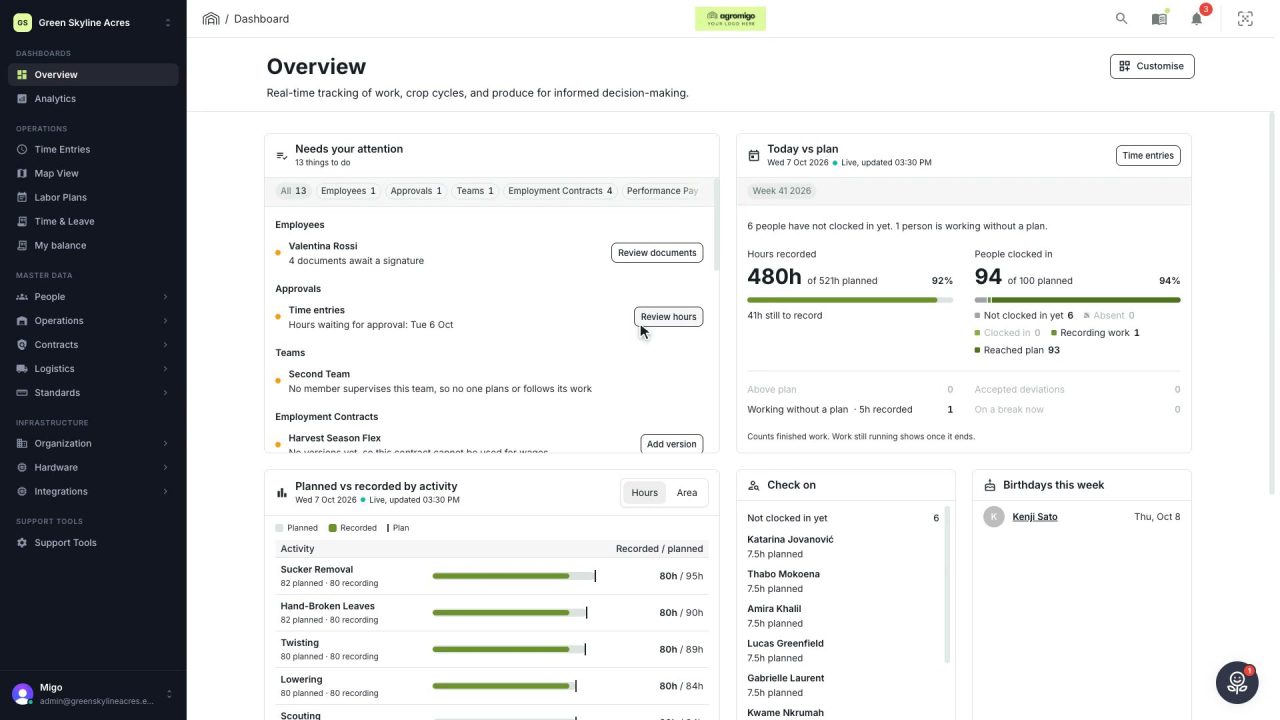
The Today vs plan card on the Overview follows today's labor plan live. You see whether the day is on track, who is in and who to check on, without opening the plan or the time entries.
The plan for today was made last week. By ten in the morning, two people have not turned up, the harvest is running behind and someone has been sent to fix a leak. On most days you find out on Friday, when the hours come in and the week no longer adds up.
The Today vs plan card brings that moment forward. It follows today’s labor plan while your crew records their work, so you see how the day is going while you can still do something about it.
In this video
Migo shows you how to follow today against the labor plan from the Overview, while the day is still running.
The card. The Today vs plan card on the Overview follows today’s labor plan live, as your crew records their work. You see whether the day is on track without opening the plan or the time entries.
- What stands out. One line at the top names it: people above plan, people not clocked in yet, or people working without a plan.
- Hours recorded. The hours done against the hours planned, with the share on the right. Only finished work counts, so hours still being worked show once they are done.
- People clocked in. The same for your crew, with one bar that splits everyone planned by where they are: not clocked in yet, clocked in, recording work, or at their planned hours.
- The exceptions. Counted just below: above plan, accepted deviations, working without a plan, and on a break right now. A zero is greyed out, so the ones that matter stand out.
- Per activity. In the Planned vs recorded by activity card, each activity’s planned hours are a track with the recorded hours inside it, with how many people are planned on it and how many are recording it.
- Per area. Switch the same card to Area, and each row shows the square metres done against the area the plan covers, so you see how far each job has got through the greenhouse.
- Check on. The Check on card names everyone not clocked in yet or working without a plan. A name opens that person’s day in the time entries.
- Above plan. Anyone already above their plan is listed in the Needs your attention card, under Today’s plan, with a button that opens their day.
- The last days. Further down, the Plan vs recorded card shows how the last days compared with their plans, day by day.
You know how today is going while it is still going, so you act in time instead of finding out at the end of the week.
Tips
- Behind is not a finding yet. The card never calls anyone behind during the day: without planned start and end times, nobody can be judged against the clock. Going above the plan can be judged at once, which is why only that one is listed.
- Narrow it to one site. When today’s plans cover more than one site, the buttons at the top of the card show the figures for one site at a time, and the activity and Check on cards follow.
- Plan the area, not only the hours. Choose a work area when you add a task or its people to the labor plan, and the activity card can set the area done against it.
- Explain a deliberate deviation. Someone sent to cover for a sick colleague is above plan on purpose. Accept the deviation with a reason in the time entries, and the day stops asking for attention.
Read more
The user guide explains the Today vs plan card, hours and area by activity, the trends, labor plans and checking a day against the plan.
Book a Demo.
More stories
-
 2 min
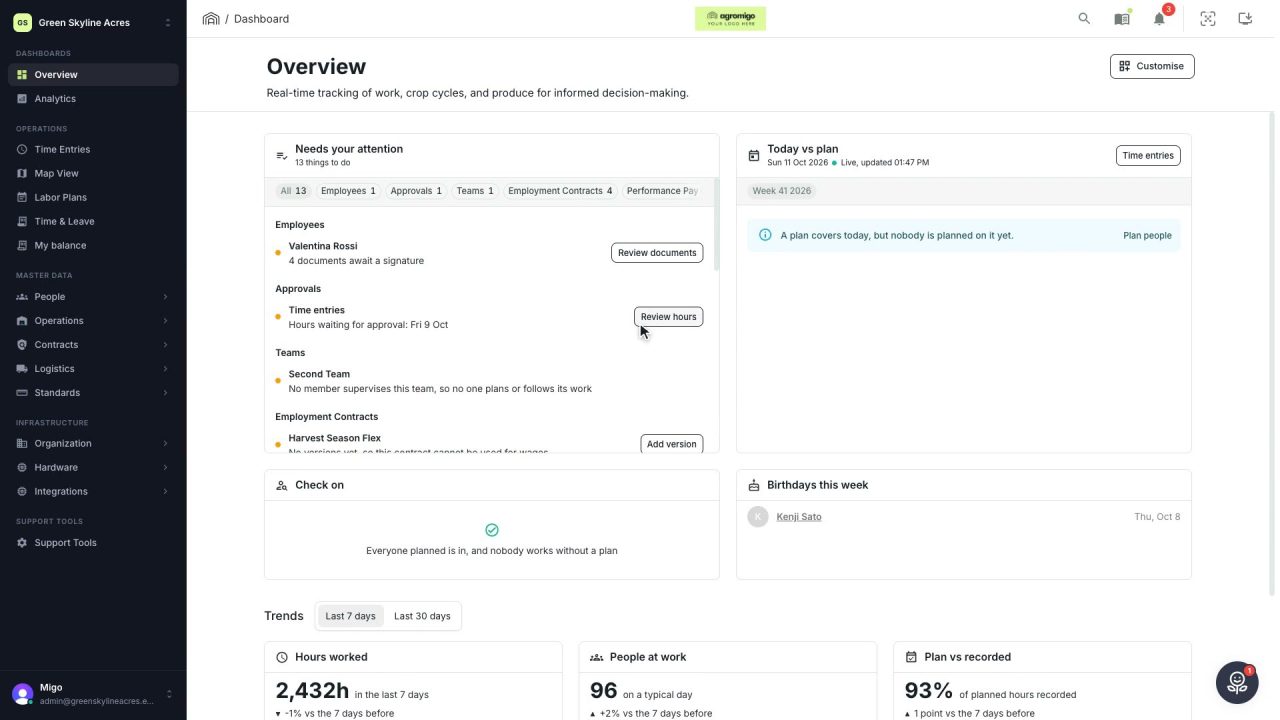
2 min Arrange the Overview the way you work
Move, resize and hide the cards on the Overview, so the figures you check every day are at the top and a long list has the room it needs.
Read the story -
 2 min
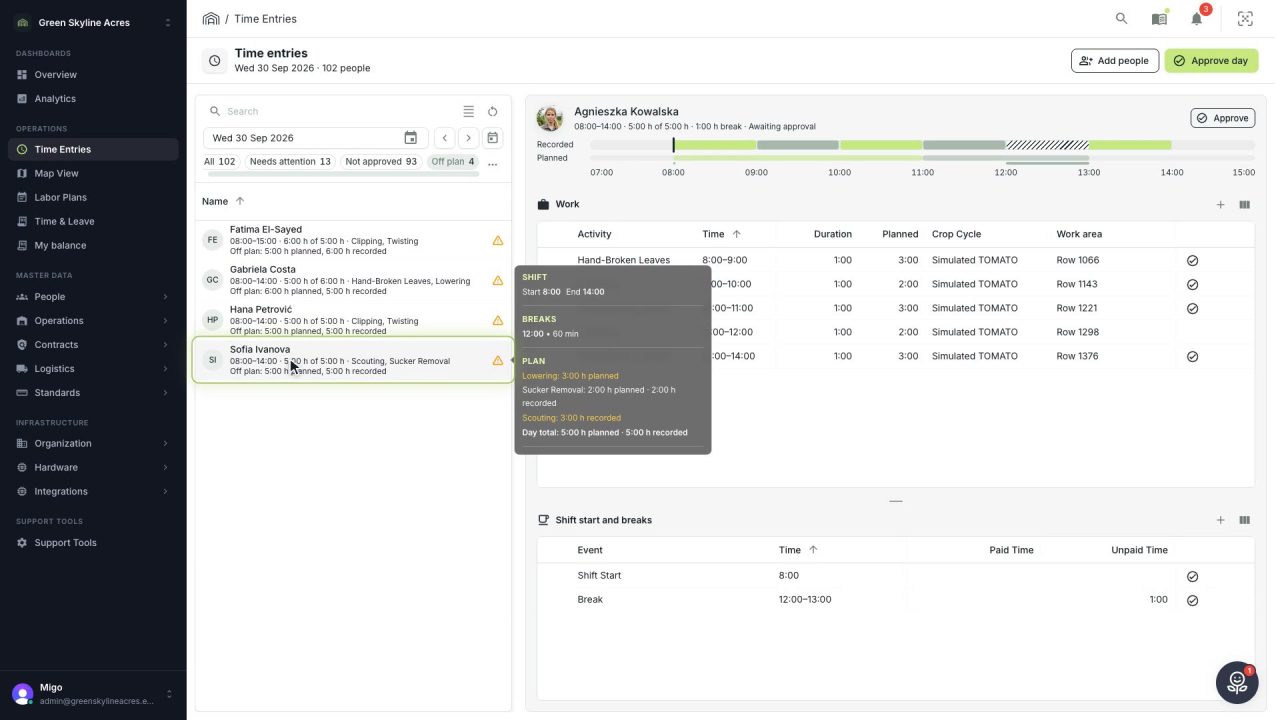
2 min See whose day went differently from the plan
Check a work day against the labor plan, see who worked something else or did not show up, and accept a change of plan that had a good reason.
Read the story -
 1 min
1 min Agromigo on your computer, in a window of its own
One click on the install icon and Chrome's Install button put the dashboard among your programs, opening in its own window, straight to your dashboard, always the latest version.
Read the story