Every worker watches the training, and you see who has not yet
Publish a training video once. Every employee finds it under My Trainings, watches it, confirms it, and you see on one card who still has to.
A new pruning method, a hygiene rule, a safe way to use the trolley: you explain it once at the start of the season, and three weeks later half the team has not heard it. Nobody can tell you who has, and when an auditor asks, there is no record.
In Agromigo a training is published once. Every active employee finds it under My Trainings, watches it, and confirms they understood it. You see on one card who has confirmed, and who still has to.
In this video
Migo shows you how your team watches a training and confirms it, and how you see who still has to.
- My Trainings. It sits in the My records group at the top of the menu, and lists every training your organization publishes.
- No assigning. A training is a document or a video in the Training category. Every active employee sees it, without you assigning it to anyone.
- Watch it. The video plays right in the page. Once it has played to the end, the training counts as viewed.
- Understood. Tick I have understood this content, below the video.
- Confirm. The confirmation is recorded with today’s date, and the status shows how long the training stays valid.
- Who still has to. As an administrator, open Documents and pick the Trainings filter. A training’s Completion card counts who has confirmed it, and lists only the people who still have to.
So you follow up with exactly those people, and nobody else.
Tips
- Make it required. A required training is listed first under My Trainings and marked Required, so nobody overlooks it.
- Set a validity period. A training that is valid for a year shows as expired after that year, so a yearly refresher asks for itself.
- Change the version for a new method. Raising a training’s version asks everyone who confirmed the old one to confirm it again.
- A document works too. A PDF counts as viewed once it is read to the end, and a link once it is opened.
- Agreements go elsewhere. House rules, a protocol or the privacy notice are signed under My Documents, not confirmed here.
Read more
The user guide covers documents and trainings in Documents and consent, including how a training differs from a document an employee signs.
Try it free for 1 month.
More stories
-
 1 min
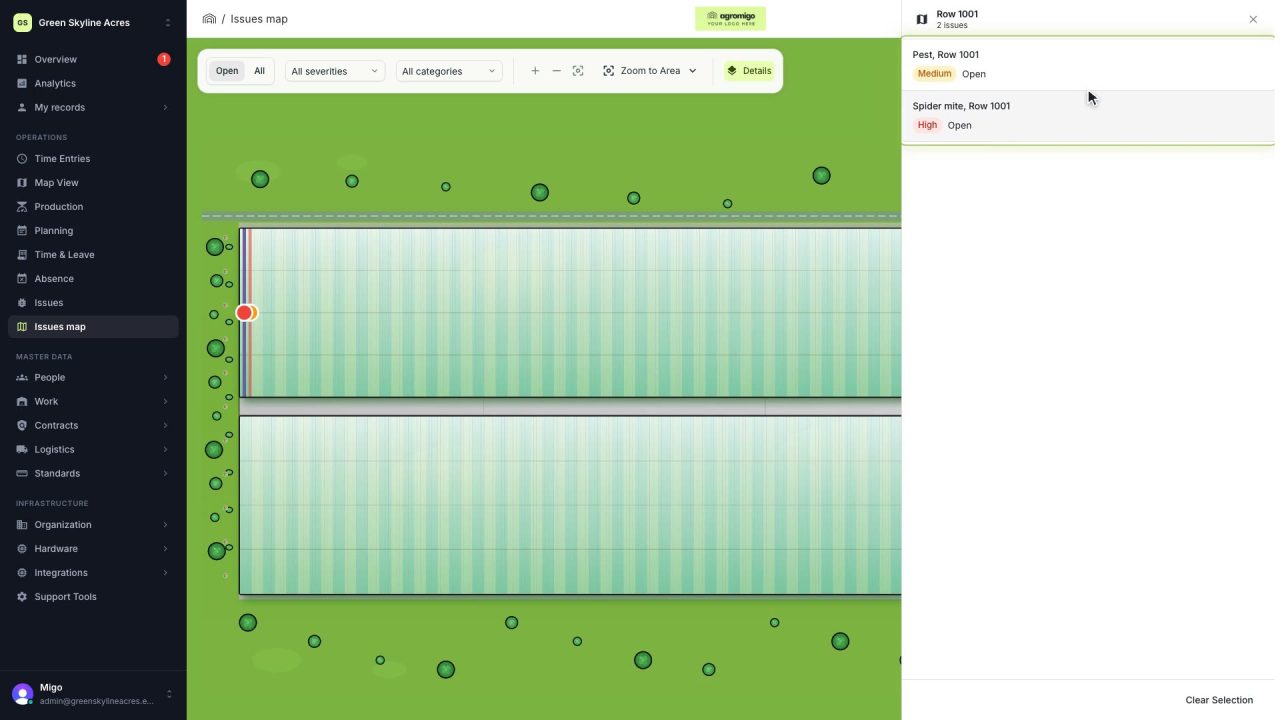
See on one map where every open issue on your site is
The Issues map colours every work area by its most severe open issue, so you see at a glance which rows have a problem and how serious it is.
Read the story -
 1 min
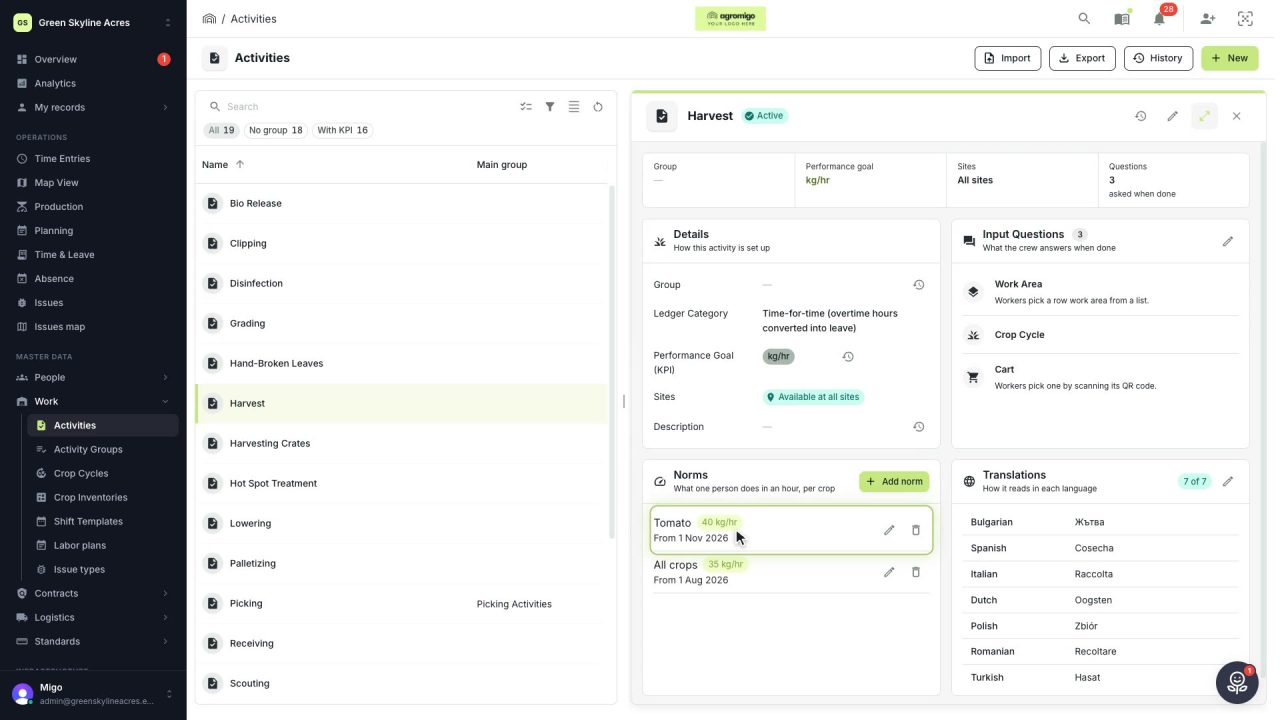
Know how fast the work goes, per crop
Set what one person does in an hour for each activity, per crop cycle and season, so every labor plan turns a target into the hours and people it takes.
Read the story -
 2 min
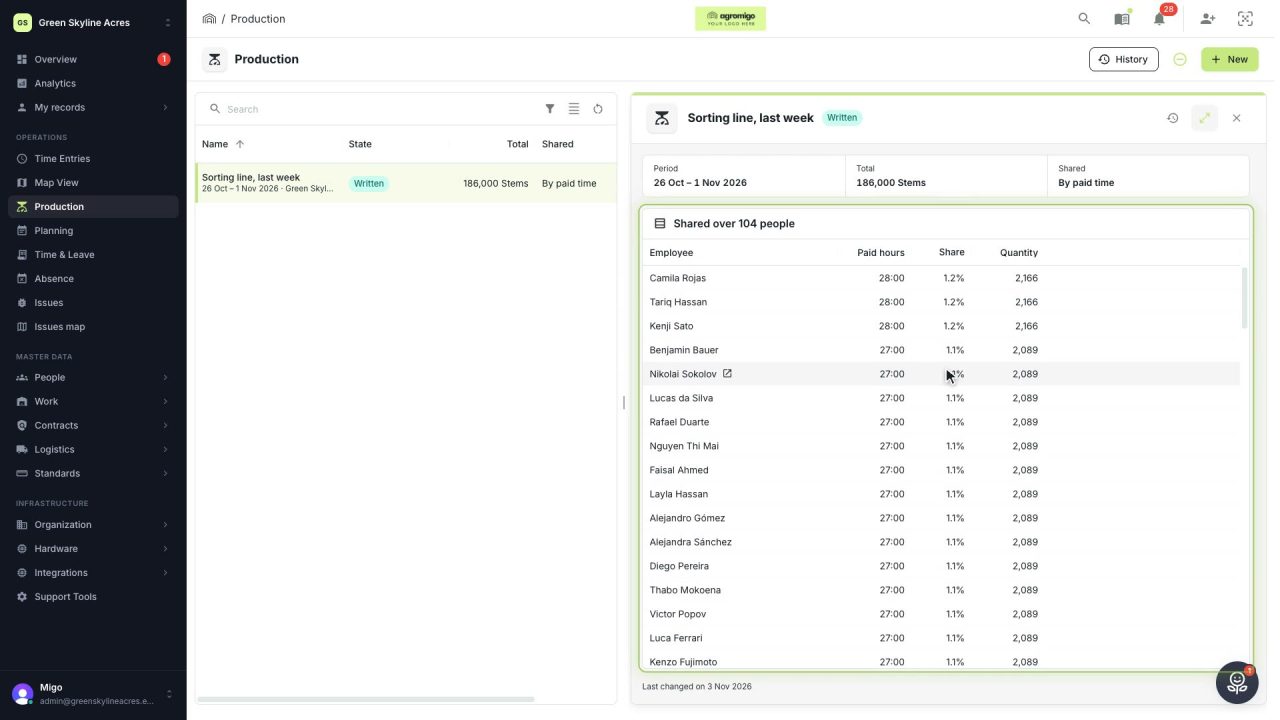
Share a week of production over the people who did the work
A total that is only known in bulk, such as a week of chrysanthemum stems from the sorting line, shared over everyone who worked by their paid hours, onto their own time entries, where it becomes stems per hour per person, team and crop.
Read the story