Know how fast the work goes, per crop
Set what one person does in an hour for each activity, per crop cycle and season, so every labor plan turns a target into the hours and people it takes.
Harvesting a young tomato crop goes slower than a full one, and one season’s chrysanthemums are not the next. The planner knows that, but the number lives in their head, so the plan is only as good as the person making it that day.
A norm puts that number in Agromigo, once. Each activity measured per hour says what one person is expected to do in an hour, for a crop cycle or for every crop, from a date onwards. Every labor plan then starts each target from it.
Why set norms
- A target becomes people. At 40 kilos an hour, 3,000 kilos is 75 hours of work: 10 people at 8 hours. The labor plan does that sum from the norm.
- Per crop and per season. One norm for every crop is the fallback; a crop cycle can have its own, and a new rate can start from any date.
- Checked against the crew. Where the crew recorded the work recently, their average stands beside the norm, so a norm is set against what the work really took.
- Planned targets keep their rate. Changing a norm changes new targets, never the ones already planned.
In this video
Migo shows you how to set an activity’s norm per crop, so every labor plan turns a target into the hours and people it takes.
- The Norms card. An activity measured per hour, such as harvest, has a Norms card: what one person is expected to do in an hour.
- Per crop cycle. Harvest in the Tomato crop cycle is set at 40 an hour, from the first of this month.
- All crops. The fallback, at 35 an hour, wherever a crop cycle has no norm of its own.
- Add norm. Pick the crop cycle and the first day. An end date is only needed when you know it.
- The rate. What one person reaches in an hour. Where the crew recorded this work recently, their average stands beside it.
- Overlap. This norm overlaps the one already set for tomatoes. On each day the norm that starts last counts, so a new rate needs nothing closed.
Set norms once per crop and season, and every labor plan turns a target into hours and people, without a calculator.
Tips
- Only work measured per hour. The Norms card shows on an activity whose performance goal counts per hour, such as stems, kilos or square metres per hour.
- Change the measure, start again. A norm keeps the measure it was set in. When an activity’s performance goal changes, its old norms no longer count.
- Change it per target. In the labor plan, a target starts from the norm and you can change the rate for that target alone.
Read more
See the Activity form for the measure and its norms, and Labor plans for targets on the board. To see a norm at work, read Plan the work in hours.
Try it free for 1 month.
More stories
-
 1 min
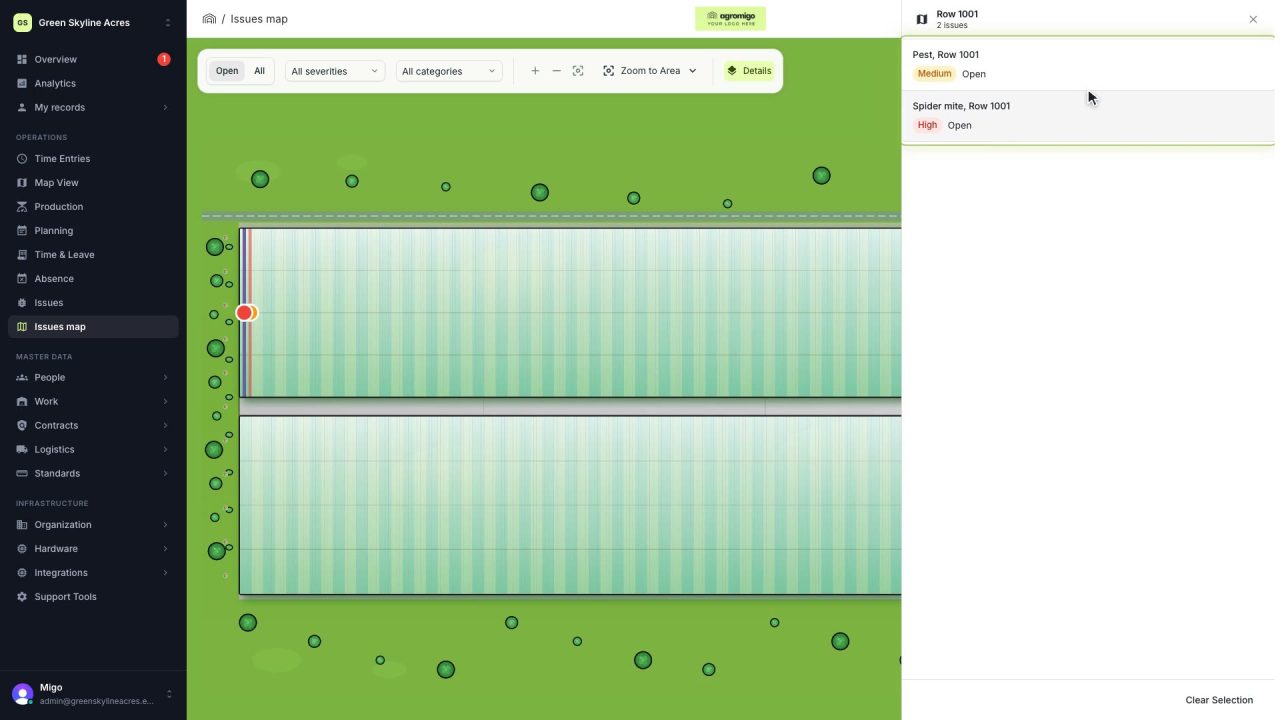
See on one map where every open issue on your site is
The Issues map colours every work area by its most severe open issue, so you see at a glance which rows have a problem and how serious it is.
Read the story -
 2 min
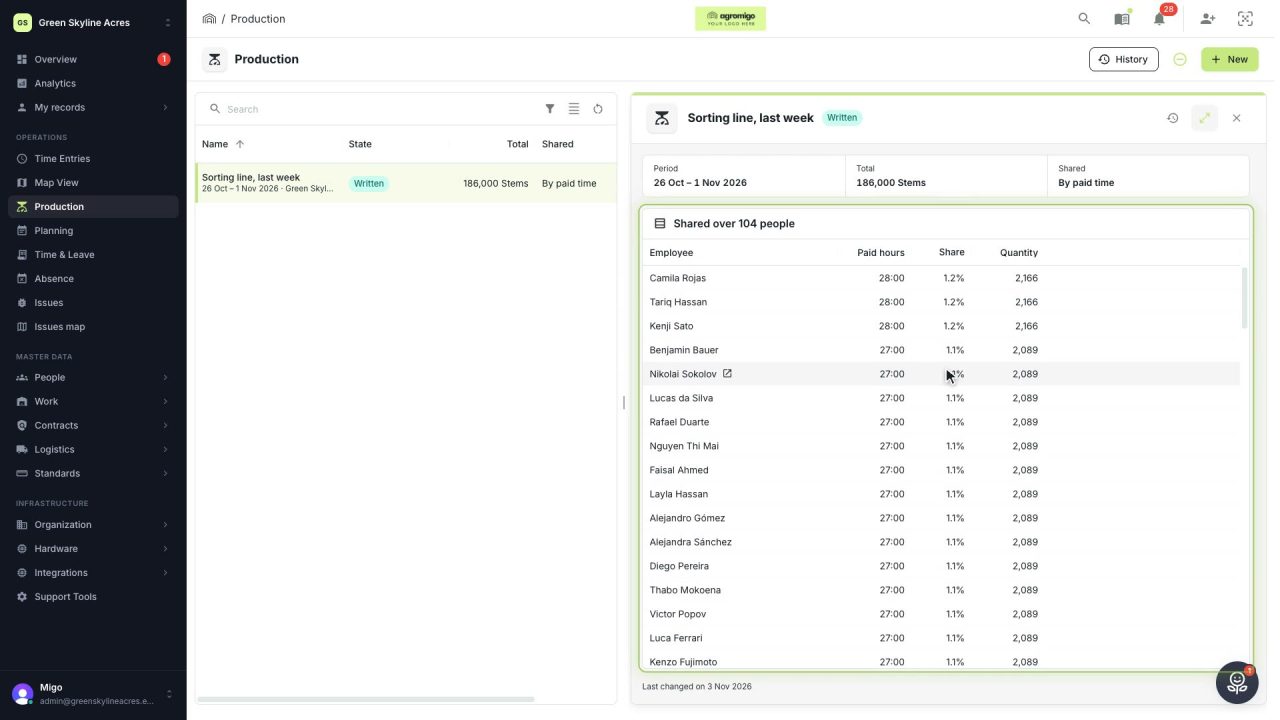
Share a week of production over the people who did the work
A total that is only known in bulk, such as a week of chrysanthemum stems from the sorting line, shared over everyone who worked by their paid hours, onto their own time entries, where it becomes stems per hour per person, team and crop.
Read the story -
 2 min
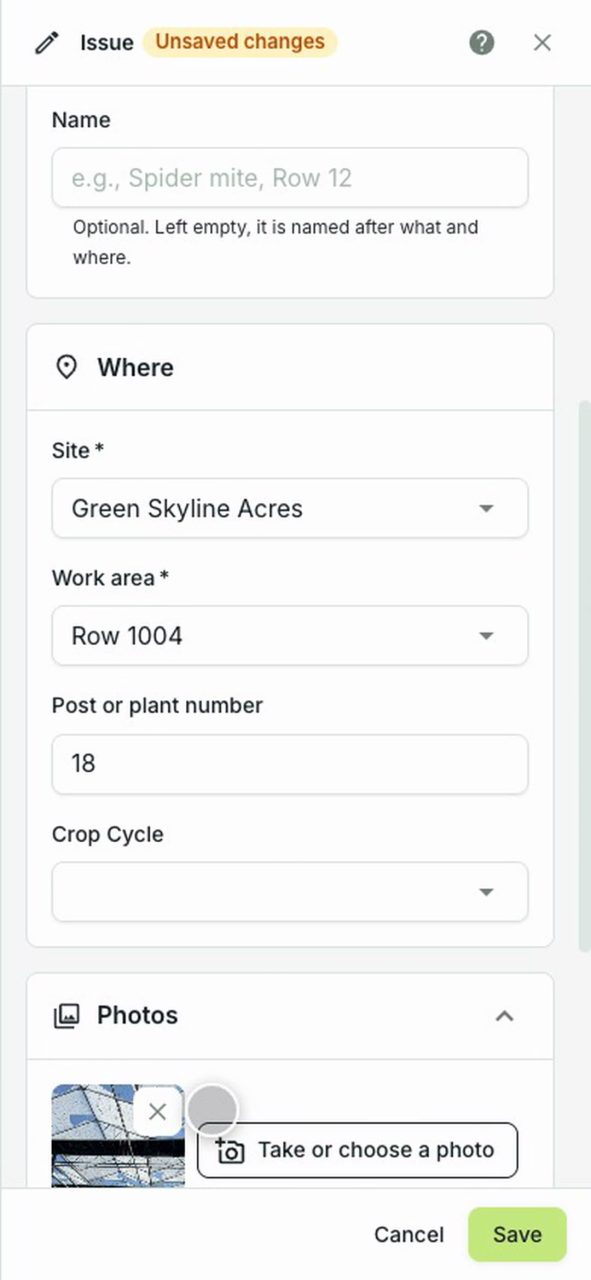
A worker reports broken glass from their phone
A worker reports something broken from the dashboard on their phone, with the row, the post and a photo, in under a minute, and it reaches whoever handles it.
Read the story