A worker reports broken glass from their phone
A worker reports something broken from the dashboard on their phone, with the row, the post and a photo, in under a minute, and it reaches whoever handles it.
A worker walking along a row looks up and sees broken panes in the roof. If it waits until the break, or until someone remembers to mention it, the rain gets in and the damage spreads.
In Agromigo, a worker can report it on the spot from the dashboard on their phone, without a crew phone at hand. The report carries their name, the time, the row, the post and a photo, and goes to whoever handles it.
In this video
Migo shows you how a worker reports something broken from the dashboard on their phone, with a photo, in under a minute.
- My Issues. Hana has the dashboard open on her phone. My Issues lists what she reported and what is assigned to her.
- New. In row 1004 she sees broken panes in the roof. The New button opens the issue form, full screen on her phone.
- The issue type. In the Issue type field she chooses Broken glass, one of the problems her operation has set up in advance. It fills in the rest: a repair, glass, medium severity. She can change any of it, and the name is made for her.
- Where. Her site is already filled in. She types the row number in the Work area field and picks Row 1004, then post 18 in the Post or plant number field.
- A photo and a note. The Take or choose a photo button opens her phone’s camera, and a short note in the Description field says what she saw.
- Save. The Save button reports it with her name, the time and the spot, and adds the photo. Her report heads her list as Broken glass, Row 1004.
- Follow-up. The Follow-up card shows it is open and who it waits on. No group handles broken glass yet, so it waits on whoever manages issues.
Spotted, reported and on its way in under a minute, from where she stands, without a crew phone or a trip to the office.
Tips
- Send it straight to the right people. Give the Broken glass issue type a group on the Issue types page, such as Technical services, and every new report of it goes to that group.
- Something not on the list? Choose Something else, then say what kind of problem it is and how bad.
- Only what a worker needs. A worker’s role reports issues and follows up their own, without opening the full Issues list.
Read more
The user guide explains reporting an issue and following up your issues.
Try it free for 1 month.
More stories
-
 1 min
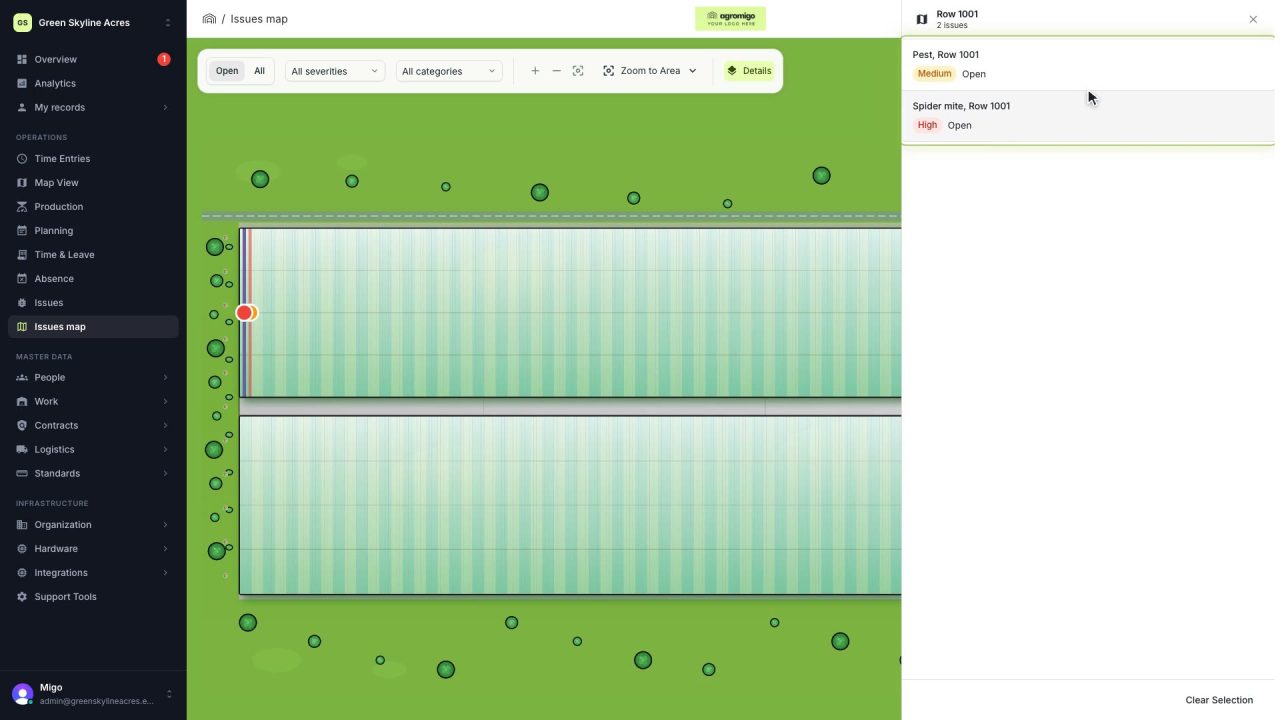
See on one map where every open issue on your site is
The Issues map colours every work area by its most severe open issue, so you see at a glance which rows have a problem and how serious it is.
Read the story -
 1 min
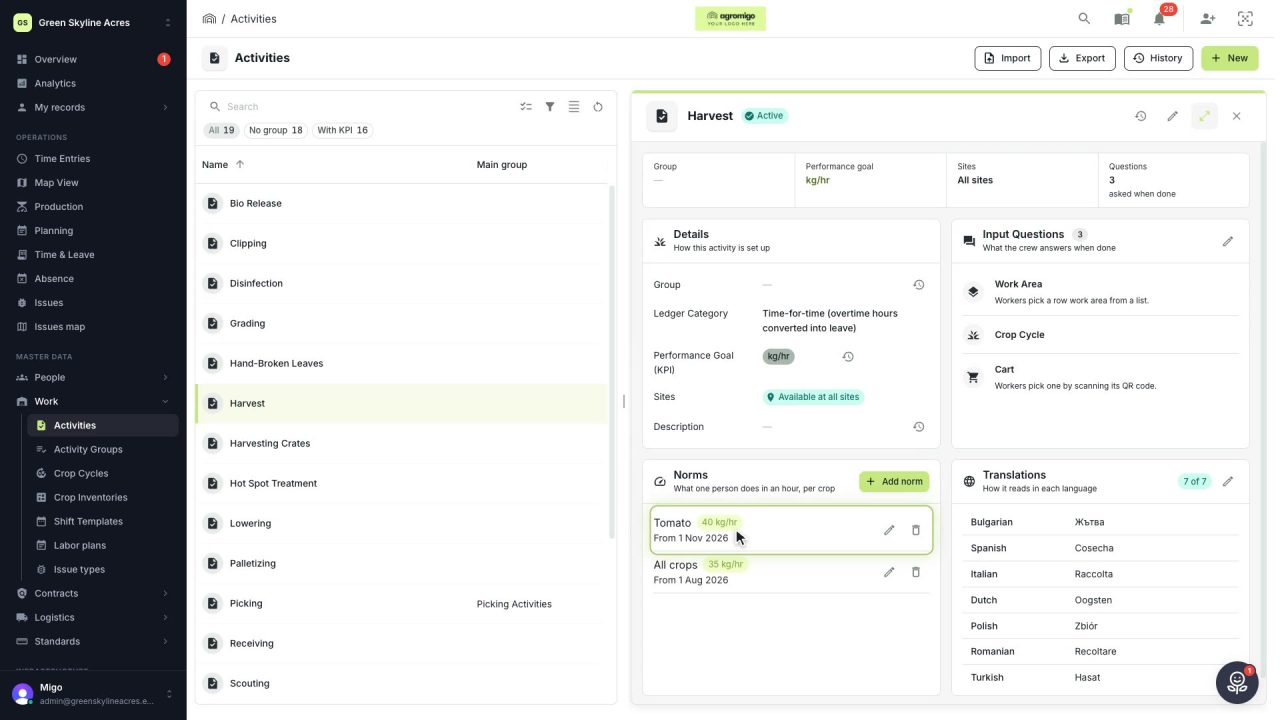
Know how fast the work goes, per crop
Set what one person does in an hour for each activity, per crop cycle and season, so every labor plan turns a target into the hours and people it takes.
Read the story -
 2 min
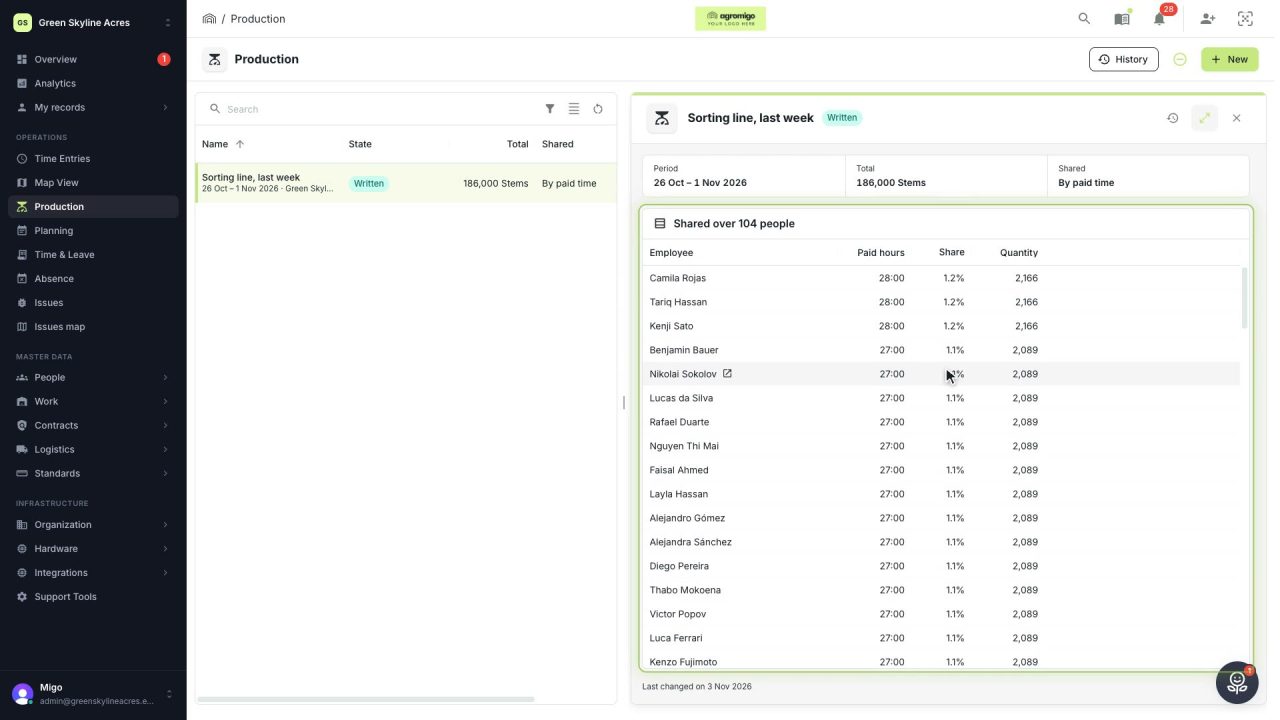
Share a week of production over the people who did the work
A total that is only known in bulk, such as a week of chrysanthemum stems from the sorting line, shared over everyone who worked by their paid hours, onto their own time entries, where it becomes stems per hour per person, team and crop.
Read the story